

Manage requirements before you commit to price and date.
For IT service providers and agencies who turn a requirements spec (German: Lastenheft) into a quote that holds: a guide, templates and a functional spec generator, all free.
The problem
What the spec leaves out, you pay for later.
You have just received a requirements spec, and your client expects a quote or a functional spec. Whatever it leaves out will cost you time and margin later: work the fixed price does not cover, and discussions about scope. Here you learn what to look for before you name a price.

“I’ve found that even large software companies that have been around for a long time manage their requirements without a reliable method. That’s why you’ll find tools here that I would use myself, free of charge.”
Lukas EbnerFounder of Leadtime
What you get here
Four resources, all free.
Take whatever fits your situation. Each one works on its own, with or without Leadtime.
- Functional spec generator Upload your client’s requirements spec and answer ten questions at most. You get a structured draft functional spec as Word and PDF. Anything still unclear is marked as open. You estimate the hours yourself. No account, email address optional Create a functional spec →
- Guide Requirements spec, functional spec, requirements analysis and indicative quote (a first price, not yet binding), each explained on its own page. Plus the route from requirements spec to quote in five steps. For clients and learners too. Five articles Go to the guide →
- Word templates Requirements spec, functional spec, a checklist for reviewing a requirements spec, questions for the first call, test case and indicative quote. The checklists come from the book. No sign-up See the templates →
- A worked example A broker portal, all the way from requirements spec to functional spec to indicative quote. You see how the documents fit together. Fictional case from the book See the example →
Who it is for
Where you are now, and where to start.
You are a service provider with a requirements spec from a client.
Check whether it is enough for a fixed price. Give the price first as an indicative quote: not yet binding, with a status for each item. After the award, write the functional spec.
You are a client writing a requirements spec.
Describe what you need and why. The less you leave open, the more precisely a service provider can estimate.
You want to understand the topic.
The guide explains the terms and the route from requirements spec to quote. The example shows it on one case.
Step by step
The generator only asks what changes the effort.
- 1Upload the requirements spec
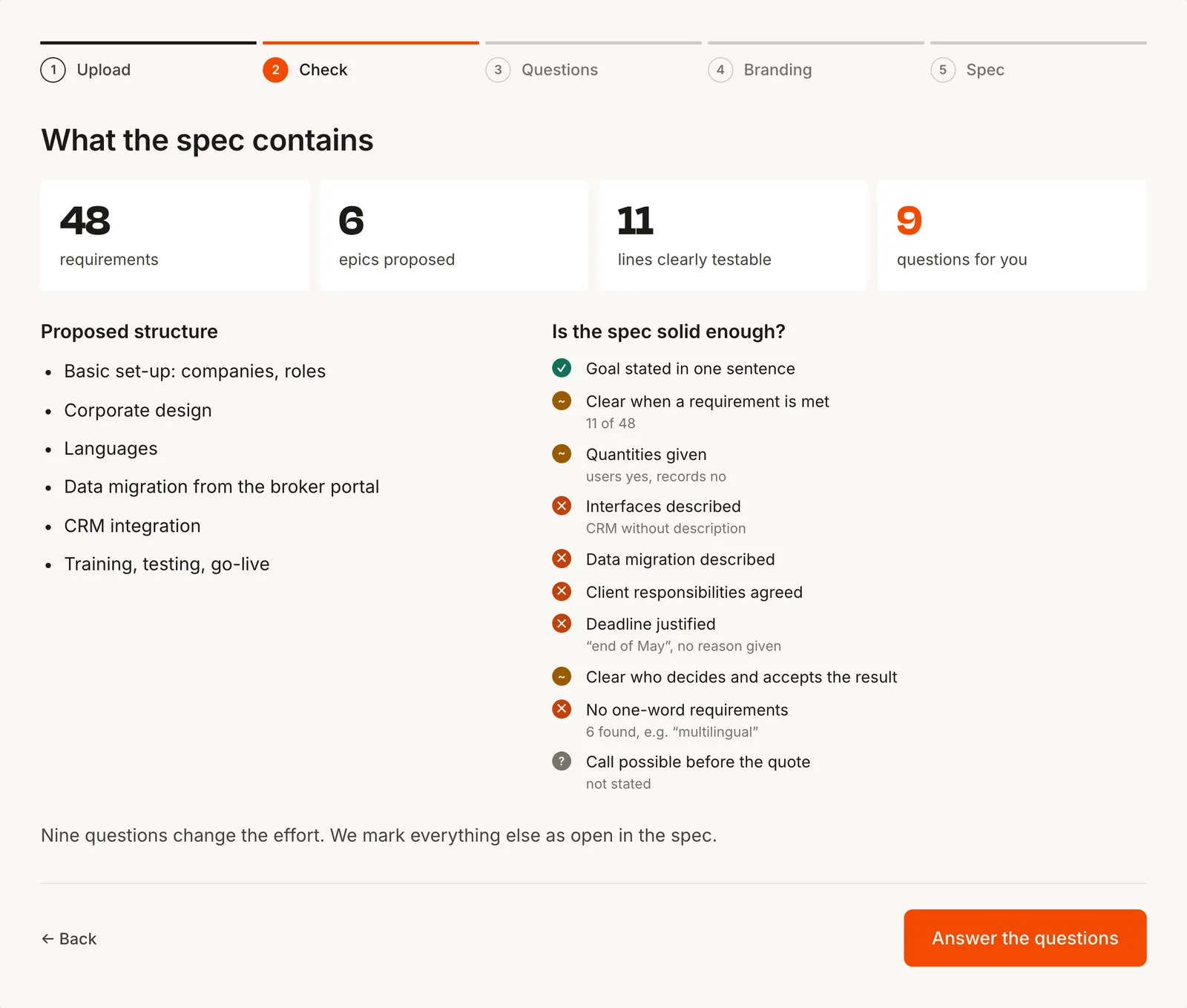
The generator reads it and structures it into epics (big themes) and work packages (parts with a testable result that you estimate).
- 2Answer ten questions at most
Each question points to the line it refers to. “Don’t know yet” is a valid answer.
- 3Get the draft functional spec
As Word and PDF, with your logo, usually in the same session. Anything you don’t know yet stays in as an open point. The effort column stays empty: you estimate the hours.
Frequently asked questions
What people often ask.
What is requirements management?
Handling all of a project’s requirements, from the first conversation to acceptance: eliciting them, writing them down, agreeing them with the client and tracking changes. The goal is that both sides mean the same thing by the result. More in the guide →
What does the generator cost?
Nothing. You do not need an account. To keep it from being used as a bulk tool, there is a monthly limit. Your email address is optional.
I am the client. Does this help me too?
The generator is built for service providers who have received a requirements spec. For clients there is the requirements spec template, the ten-question checklist and the guide.
Next step
Got a requirements spec from a client? Turn it into a functional spec.
Upload the requirements spec and answer ten questions at most, only the ones that change the effort. You get a structured draft functional spec with your logo, as Word and PDF. Anything still unclear is marked as open. You estimate the hours yourself.
- Freeno account, email address optional
- 10 questions at mosteverything else is marked as open in the spec
- Word and PDFwith your logo and colour