



deGet a demoTry for free
Shared Inbox vs. Ticketing System: Why the Switch Hurts — and Why It's Still Worth It

Legal & Notices

When You Don't Notice Your Business Is on Fire

Business Insights That Connect the Dots

Leadtime connects your operational and financial data, giving you a clear view of capacity and profitability — without spreadsheets, exports, or data silos.

Hero backgroundLeadtime analytics dashboard

A 360° Overview, Tailored to Your Role

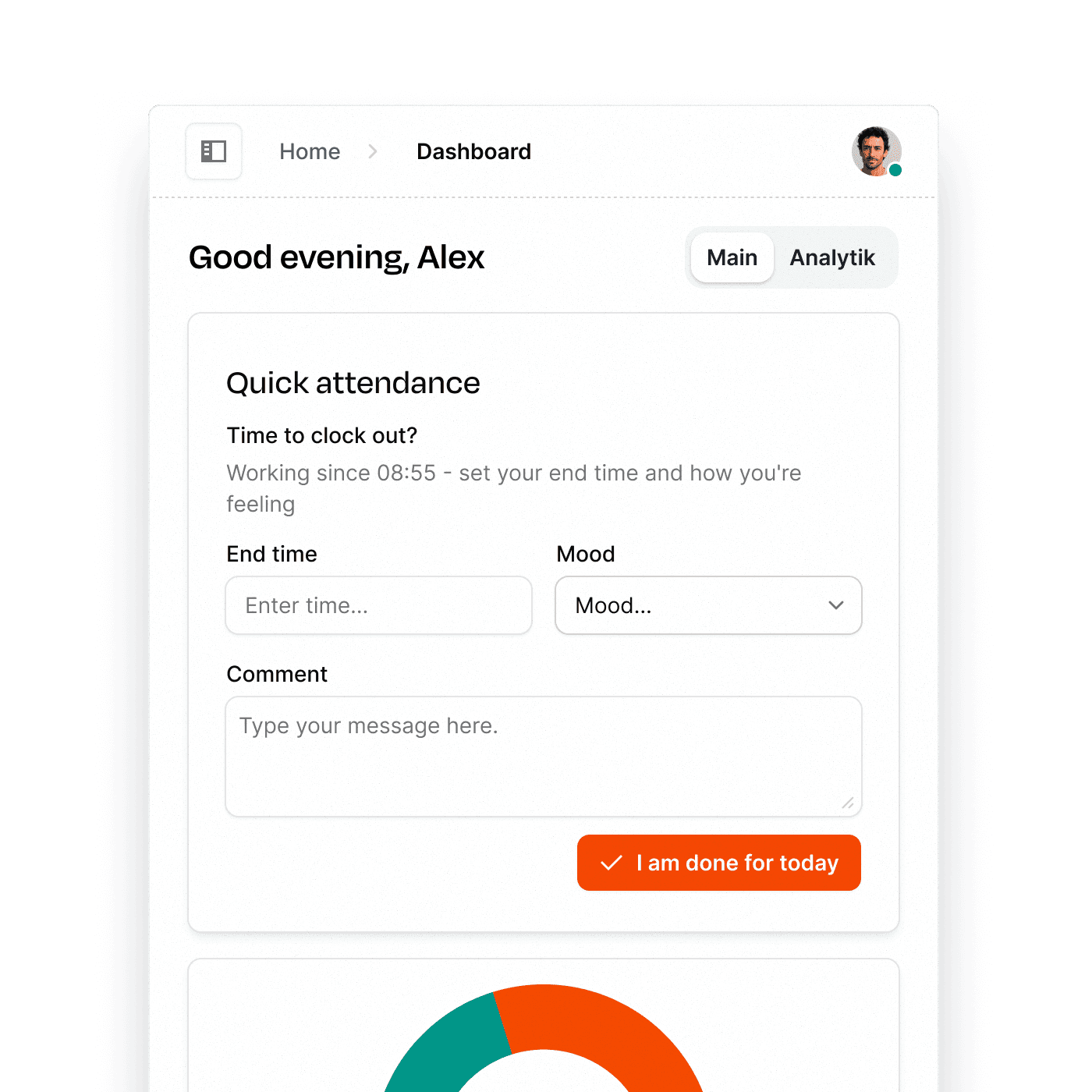
Every role, every day brings different questions. With configurable dashboards, you can build exactly the view you need to stay on top of what matters most. Track open deals, monitor team performance, check projected revenue, or keep an eye on project progress — all in one place.

Widgets from across the system can be combined freely, so your dashboard always reflects your current priorities. Whether you’re managing sales, operations, or delivery, Leadtime puts the right insights at your fingertips.

Try for free
Configurable dashboards

From Raw Time Logs to Real Insights

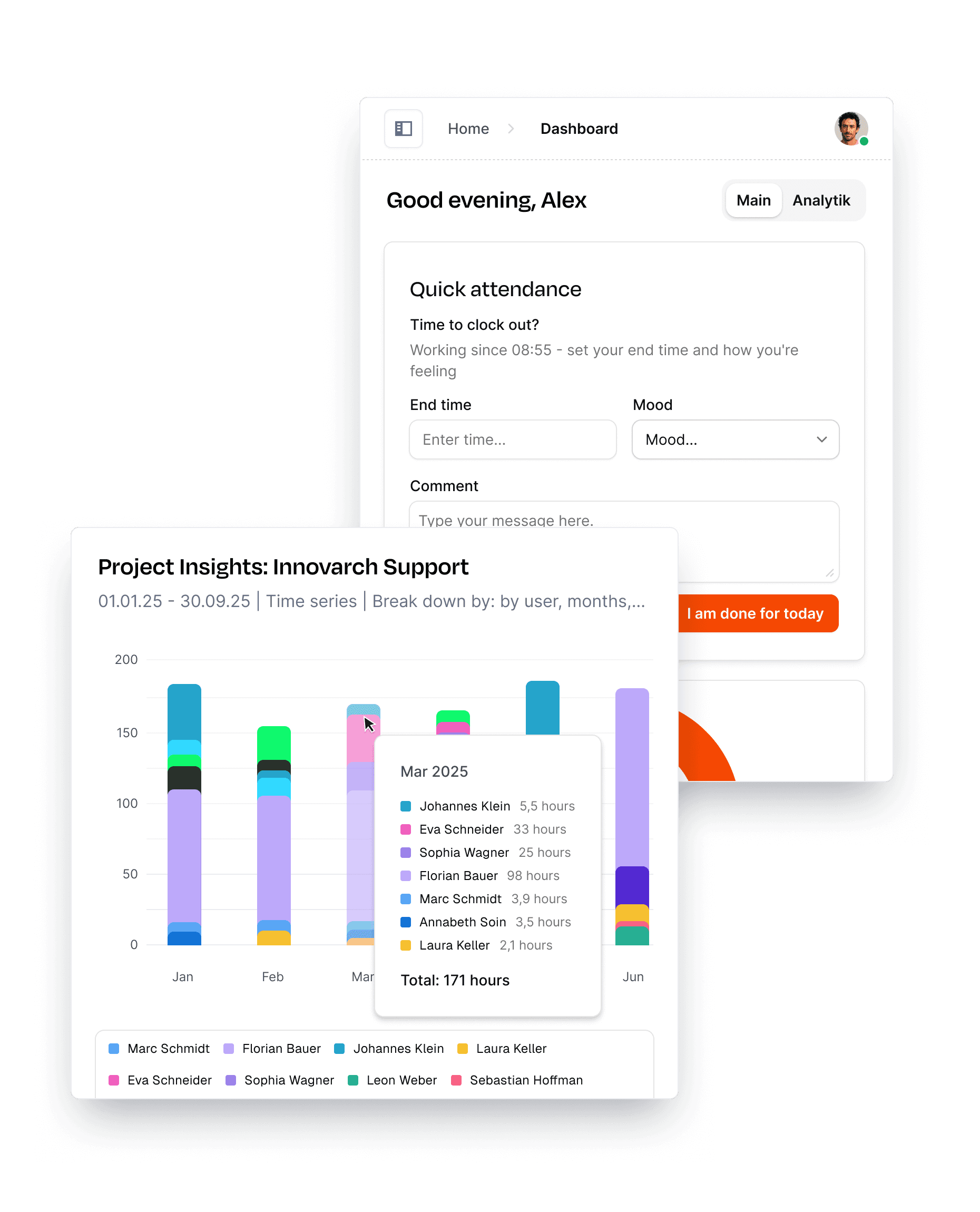
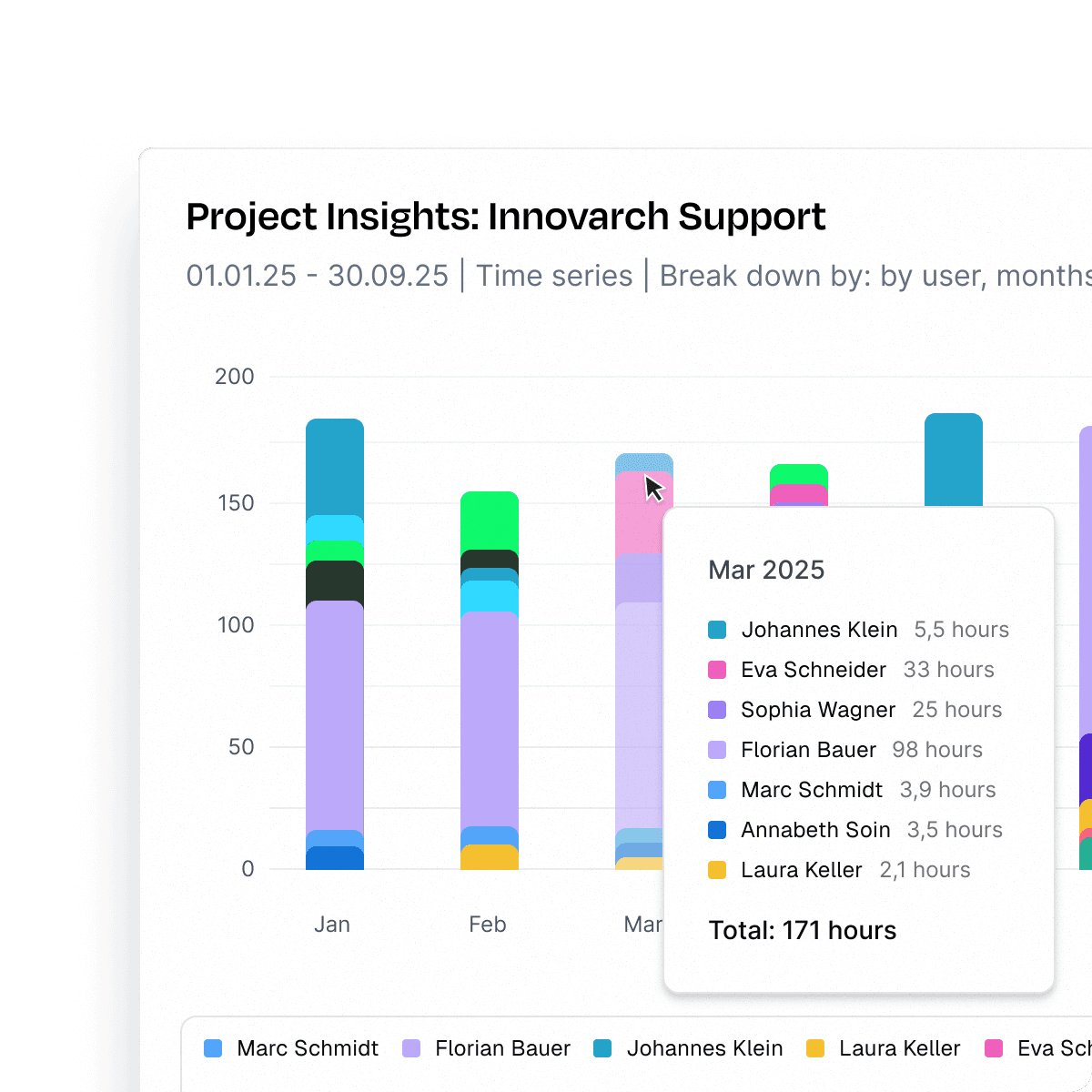
Leadtime’s Project Analytics gives you full visibility into how time is spent across projects, roles, tasks, and people — over any time period. Slice and visualize your data the way you need: compare projects, track trends over weeks or months, or drill down into specific task types.

Whether you want to uncover bottlenecks, analyze workload distribution, or keep an eye on internal vs. client work, Project Analytics turns raw time data into clear, actionable insights.

Try for free
Project analytics

Understand Where the Work Is Piling Up

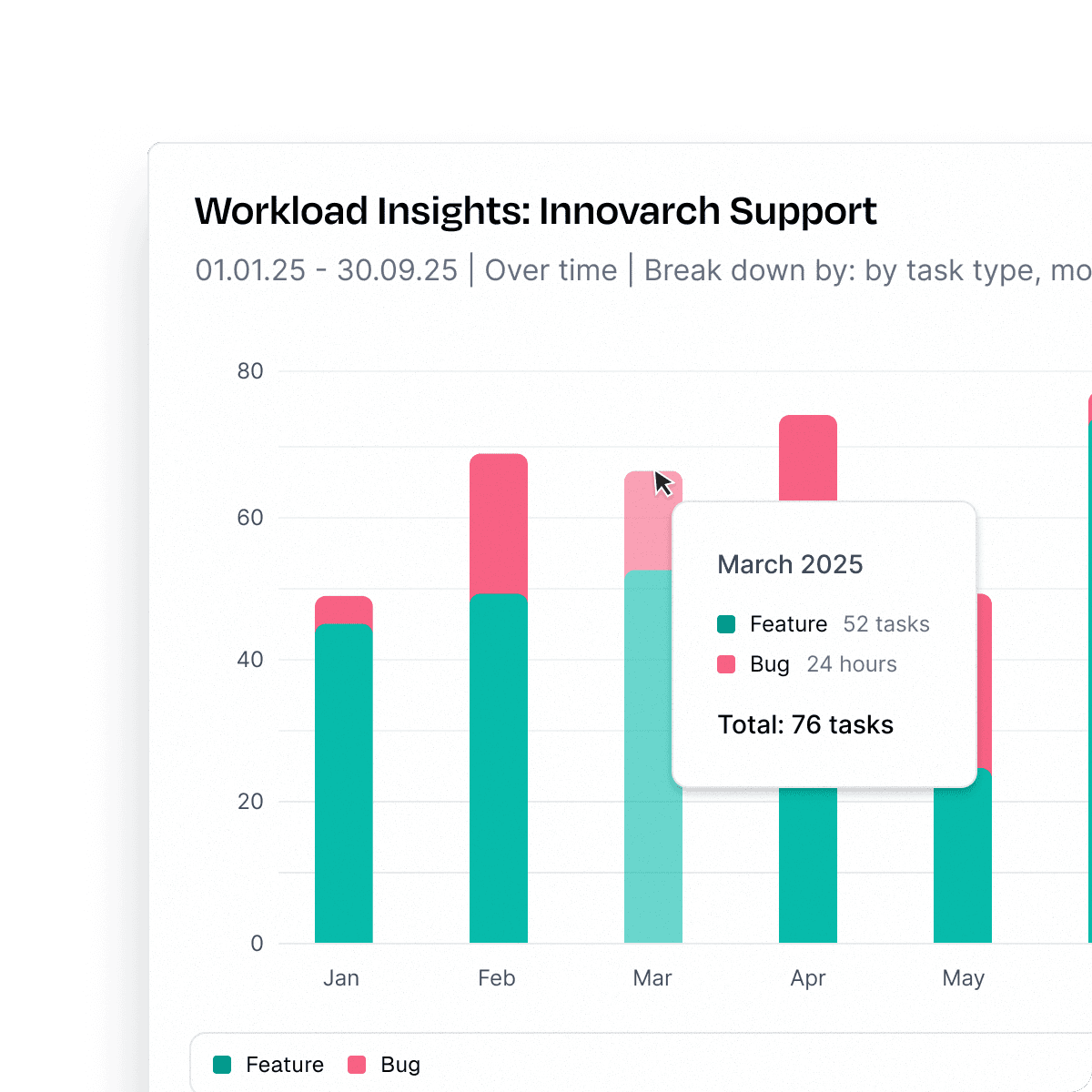
Ticket backlogs don’t appear overnight — they build up slowly, often unnoticed. Leadtime’s Ticket Inventory gives you a clear view of how ticket volumes evolve across projects over time. Spot trends early, identify projects where work piles up, and make informed decisions to keep teams balanced.

Whether you’re managing support requests or development tasks, you’ll always know exactly where attention is needed to maintain a steady flow.

Try for free
Ticket inventory

See Exactly Where Time Is Spent

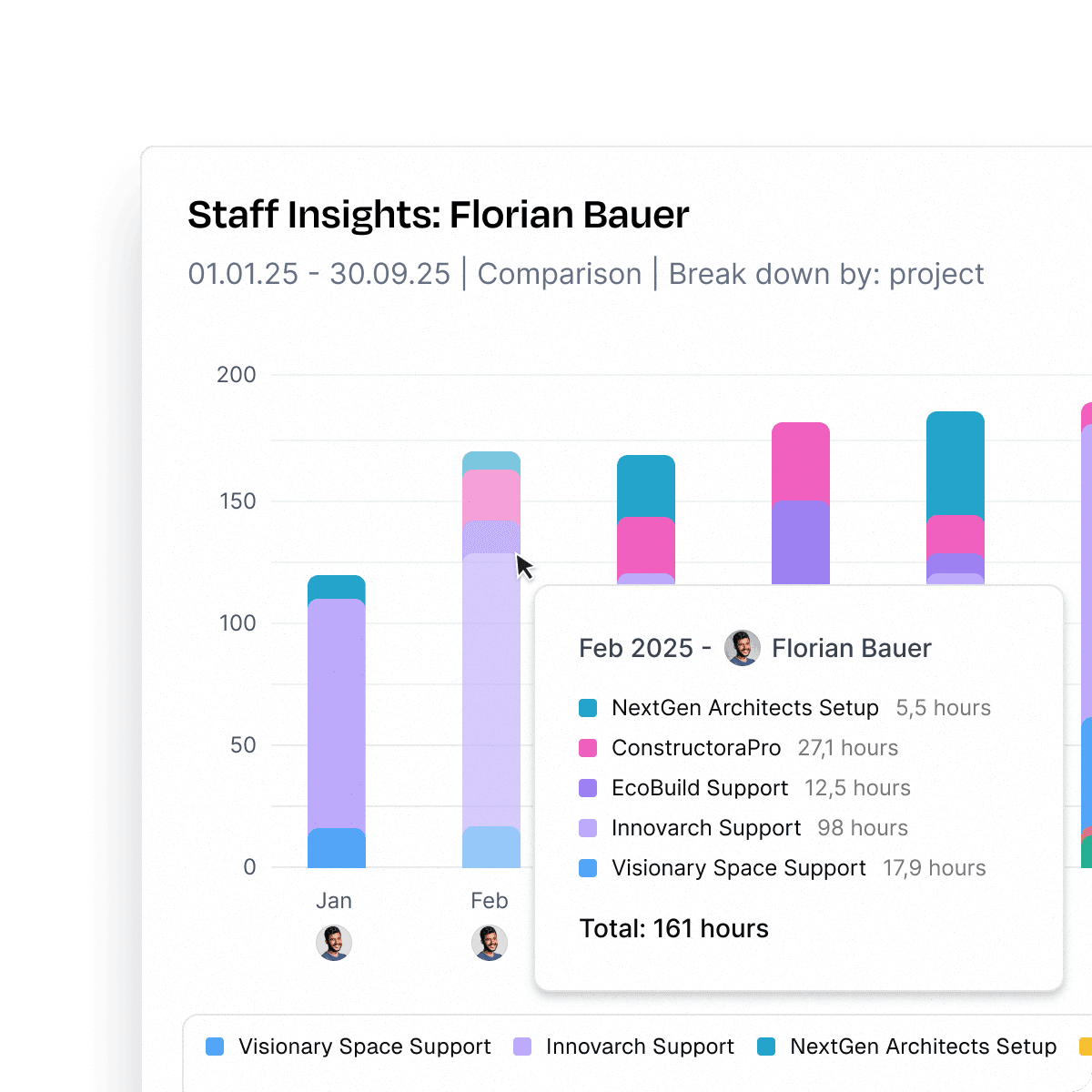
Time is your most valuable resource — but only if you know how it’s spent. Leadtime’s Time Entry Analysis gives you a clear breakdown of which projects, tasks, and activities employees are working on.

Whether you’re looking at a single person or entire teams, you can instantly see where time creates value, where it gets lost, and how work is distributed. This transparency helps managers spot inefficiencies, align efforts with priorities, and make smarter staffing and project decisions.

Try for free
Time entry analysis

Targets Made Tangible

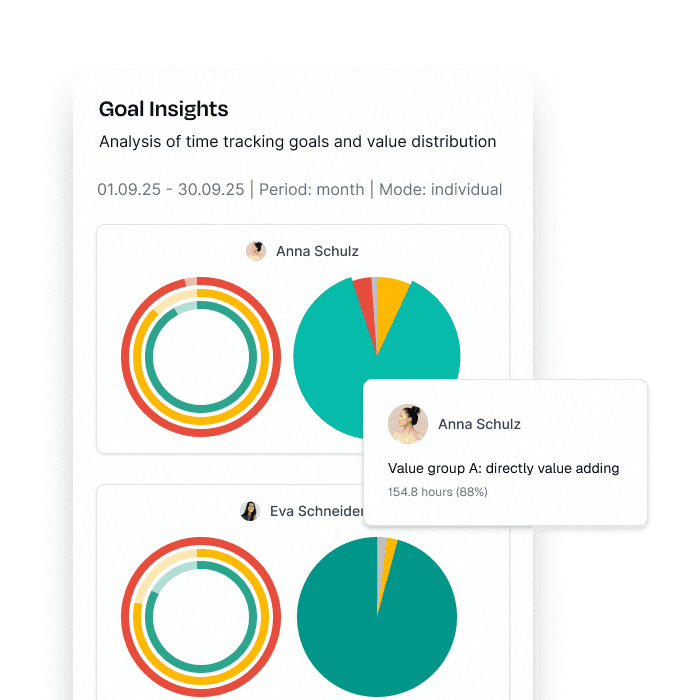
Leadtime makes performance goals tangible. Whether daily, weekly, monthly, or quarterly — target agreements show exactly how well teams are tracking against their time and productivity objectives. With clear visualizations, managers instantly see who’s on pace, where potential is untapped, and where extra support might be needed.

By making progress transparent and comparable across teams, you create accountability and keep everyone aligned on what really matters: delivering value efficiently.

Try for free
Target tracking
Race track

Run twice the projects in half the time

Ready, set, go: your workspace live in minutes, free for 1 month.

Try for free now!

FAQ

Got questions? We’ve got answers.

Leadtime offers five Insights modules that analyze different aspects of your business: Project Insights shows where hours go in projects over time and which task types consume resources. Sales Insights breaks down revenue by type (support, subscriptions, products) and forecasts future revenue. Workload Insights reveals whether your team is keeping up with ticket loads or falling behind. Employee Insights analyzes what each team member worked on and how valuable those activities were. Goal Insights tracks billable time achievement and value group distribution (direct value vs. waste). Each module answers specific questions about productivity, profitability, and resource utilization.

Yes. Each Insights module lets you configure analyses with multiple parameters: select specific projects or employees, set time periods (start/end dates), choose breakdown options (by project, task type, user, revenue type), and select display formats (time series vs. totals, stacked vs. grouped bars). You can save these configurations as presets and reuse them anytime. Saved presets can be added as widgets to your dashboard, so your most important analyses are always visible when you open Leadtime. This means you build the exact reports you need once, then access them instantly without reconfiguring.

Dashboards are your personalized homepage in Leadtime – a flexible workspace where you bring together the information, tools, and reports you need most. You can create multiple dashboards and fill them with widgets: task lists, time trackers, calendars, project views, estimate overviews, and chart widgets from your saved Insights analyses. Each widget is resizable and movable in a six-column layout. Different team members create different dashboards – developers might have their task stack and time tracker front and center, while managers display team workload and revenue charts. Instead of clicking through sections, your dashboard puts everything one click away.

Yes. You set billable hour goals per employee in their profile under "Working time and salary" – for example, 6 hours for developers, 4 hours for project managers. Goal Insights then tracks achievement with a three-ring visualization: the outer ring shows attendance time, the middle ring shows booked time, and the inner ring shows billable time against the target. You immediately see who's hitting their goals and who's spending time on non-billable activities. The analysis also breaks down work into value groups (Direct Value, Indirect Value, Non-Value, Waste), showing whether time goes to billable client work or gets consumed by administrative overhead. This creates transparency and accountability around productivity targets.

Yes. Every Insights module includes an Excel export function that downloads the displayed data as a spreadsheet. Whether you're analyzing project hours, revenue trends, workload distribution, or employee productivity – you can export the raw data for further analysis in Excel, presentations to leadership, or integration with other business intelligence tools. This means you're not locked into Leadtime's visualization – you can manipulate the data however you need for board meetings, investor reports, or custom analyses that combine Leadtime data with information from other systems.