


deGet a demoTry for free
Shared Inbox vs. Ticketing System: Why the Switch Hurts — and Why It's Still Worth It

Legal & Notices

When You Don't Notice Your Business Is on Fire

B2B helpdesk software – with time tracking and billing built in

Turn clients into co-pilots. Track, bill, and resolve – all in one helpdesk built for agencies and IT teams.

Hero backgroundLeadtime helpdesk preview

Turn Clients Into Teammates

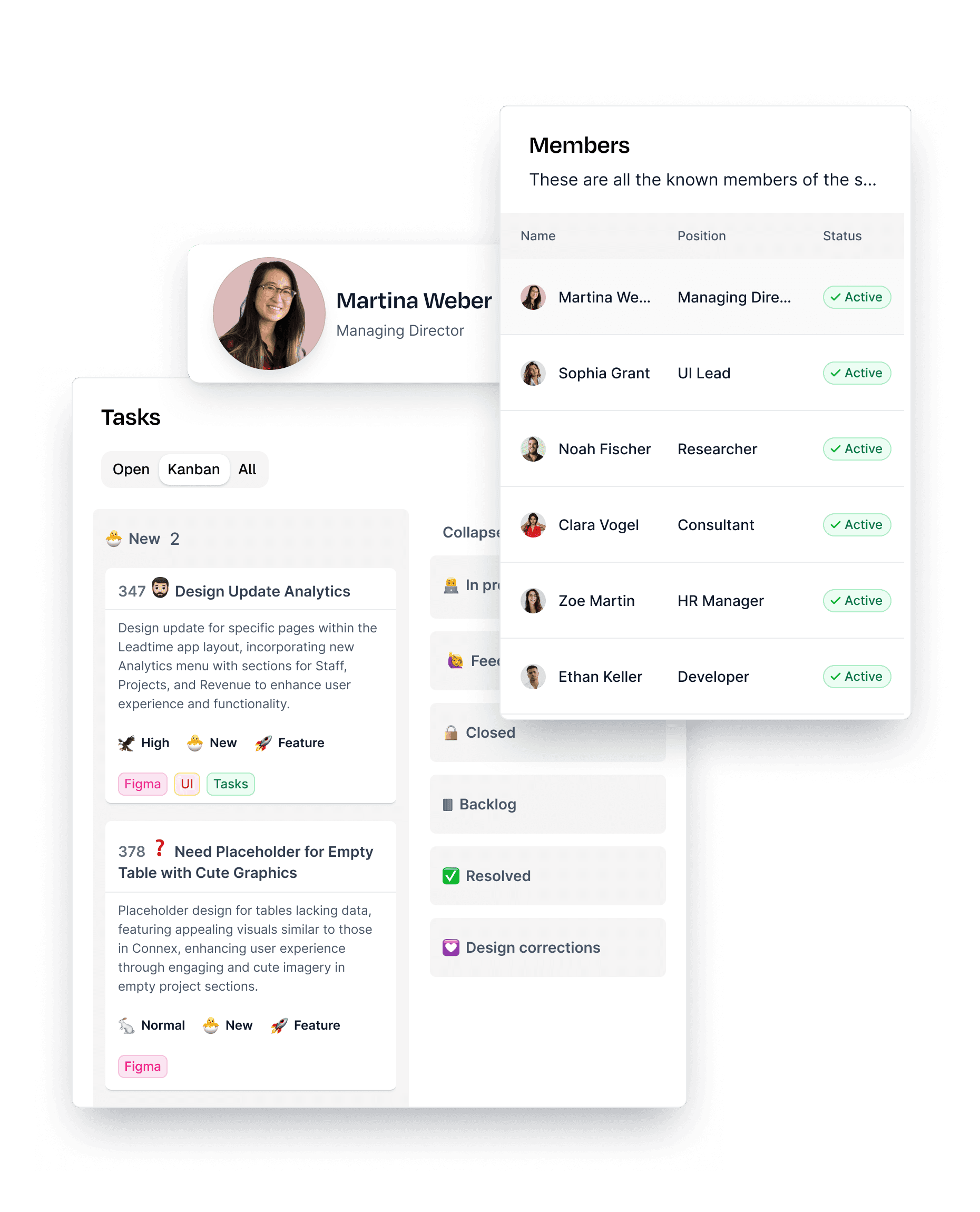
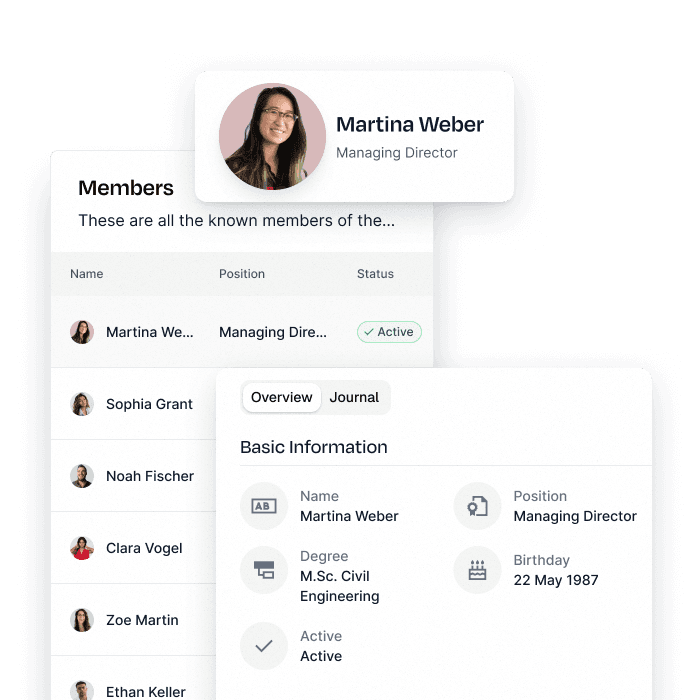
Stop treating clients like spectators. With Guest Users, you invite contacts from other organizations directly into your projects — at no extra cost. Give them real-time visibility into progress, issues, and requests while keeping full control over sensitive information through granular roles and permissions.

By turning clients into active collaborators, you build transparency, eliminate misunderstandings, and strengthen trust. Everyone sees the same status, decisions move faster, and projects run more smoothly — as if your clients were part of the team.

Try for free
Guest users in leadtime

See Tasks the Way You Work Best

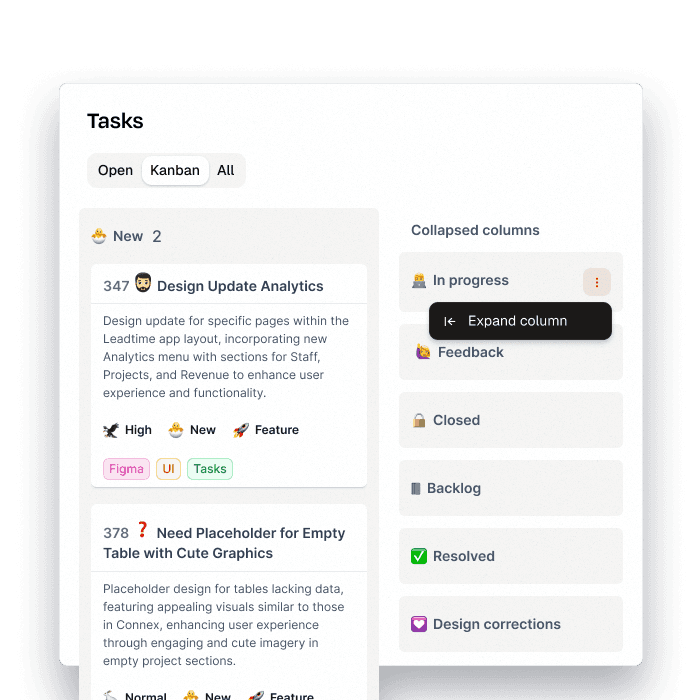
Whether you’re managing a single project or juggling multiple at once, Leadtime’s flexible task views give you total control. Start with a structured list view to sort, filter, and focus on what matters most. Create and save personal or team-wide views to stay organized, no matter how complex things get.

Switch seamlessly to a Kanban board for a clear, visual workflow. Drag and drop tasks through custom phases like “New,” “In Progress,” or “Done” to track progress intuitively. Bottlenecks become visible, priorities stay aligned, and your team can manage work with ease — all in one place.

Try for free
Task views in leadtime

The Beating Heart of Your Workflow

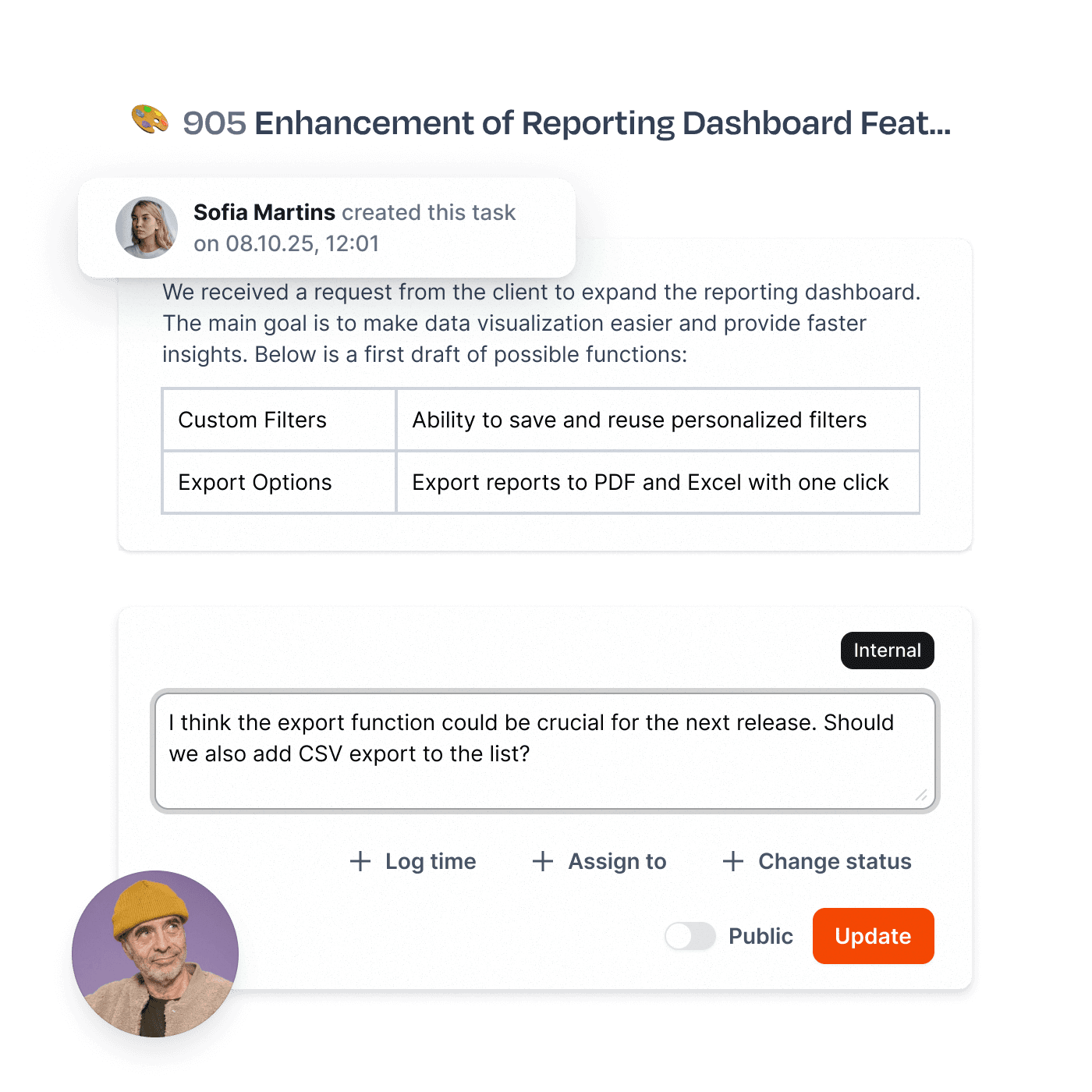
Ticket-based work isn’t just a method — it’s the backbone of modern collaboration. In Leadtime, every activity, whether it’s a client project or an internal task, is captured as a ticket. This creates a single source of truth for planning, communication, and execution.

A powerful, intuitive ticket editor makes writing and structuring tasks effortless. Use the slash menu to add headings, checklists, images, or embeds in seconds. Comments and mentions keep conversations connected to the work, while drag-and-drop blocks make organizing information simple and fast.

With everything structured as tickets, your team works faster, communicates better, and keeps projects fully under control — from the smallest to the most complex task.

Try for free
Ticket editor in leadtime

Your AI Co-Pilot for Better Tickets

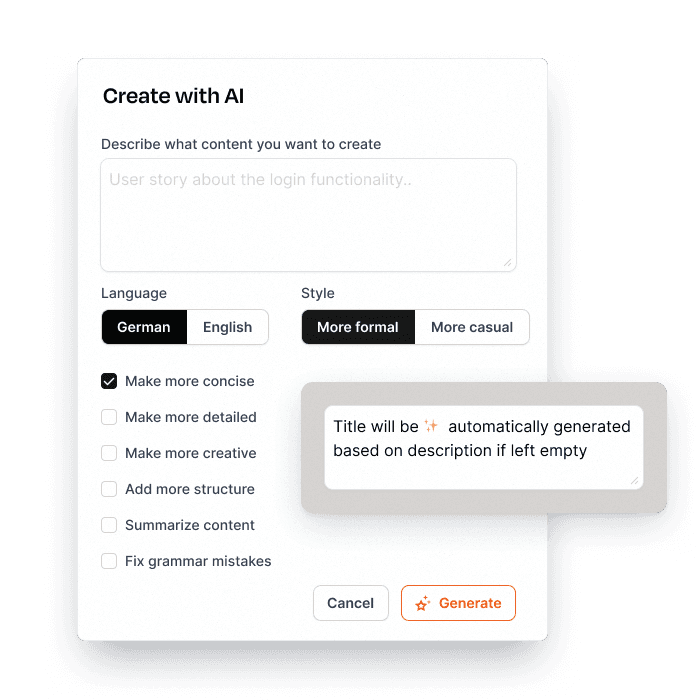
Writing clear, structured tickets takes time — but it doesn’t have to. Leadtime’s AI Assistant helps you draft, revise, and translate tickets with ease, so every task is complete, consistent, and ready for execution.

Whether you’re creating a new ticket from scratch or polishing an existing one, the assistant suggests clean phrasing, fills in gaps, and ensures nothing important is missing. It can switch between languages instantly, making collaboration across teams and clients seamless.

With AI on your side, you spend less time on formatting and wording — and more time moving projects forward.

Try for free
AI assistant in leadtime

Because Email Is Still the Fastest Way

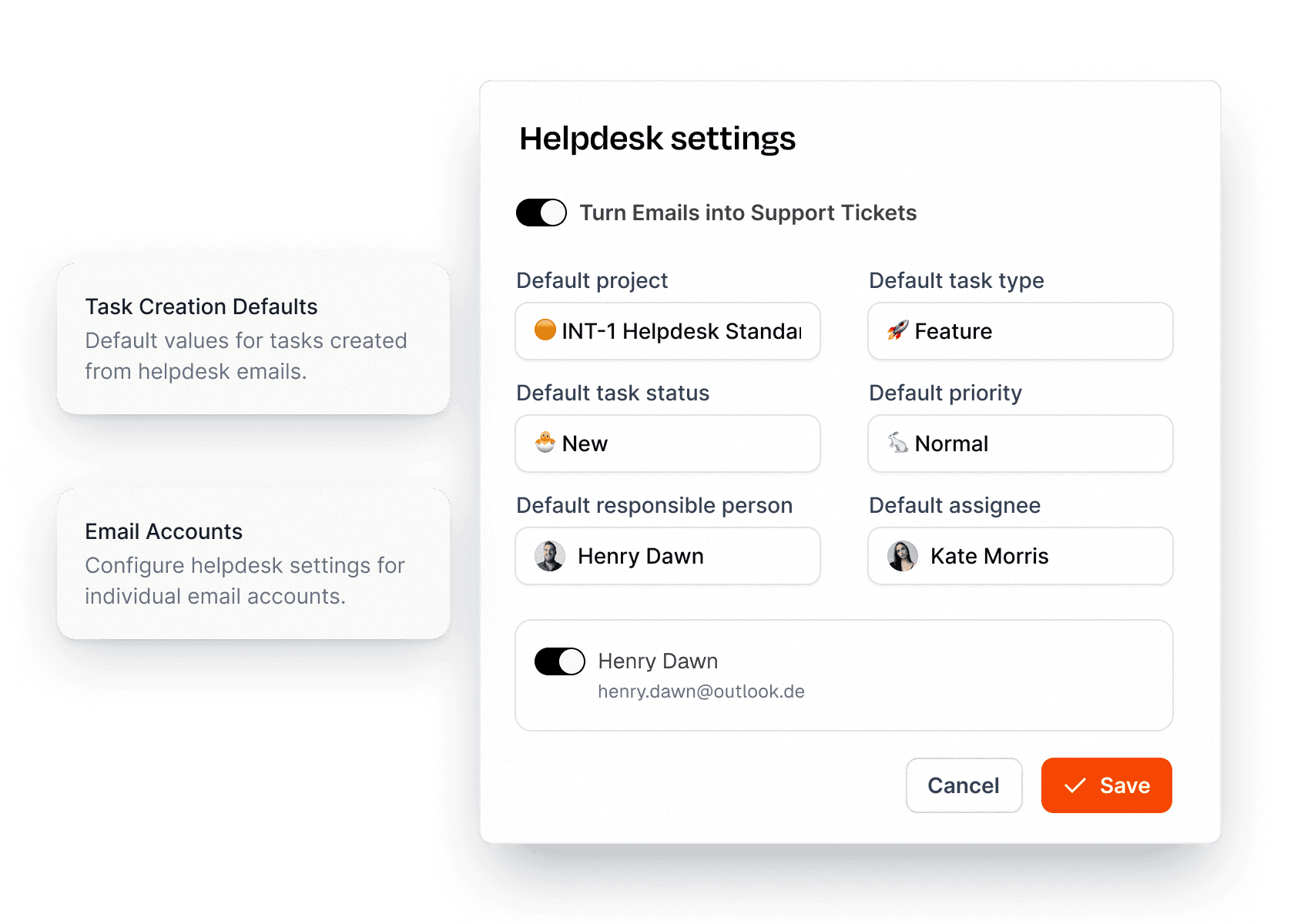
Not every client wants to log into a portal — and they don’t have to. Leadtime turns your existing email inboxes into a fully integrated helpdesk. Incoming messages from Google Workspace or Outlook 365 are automatically turned into tickets and routed to the right project.

Define default destinations for each client domain or assign dedicated inboxes to individual projects. No manual forwarding, no chaotic CC lists — just clean, structured ticket creation.

This keeps your support organized, ensures no request gets lost, and lets your clients keep using the channel they know best: email.

Try for free
Email-to-ticket flow

See the Big Picture, Stay in Control

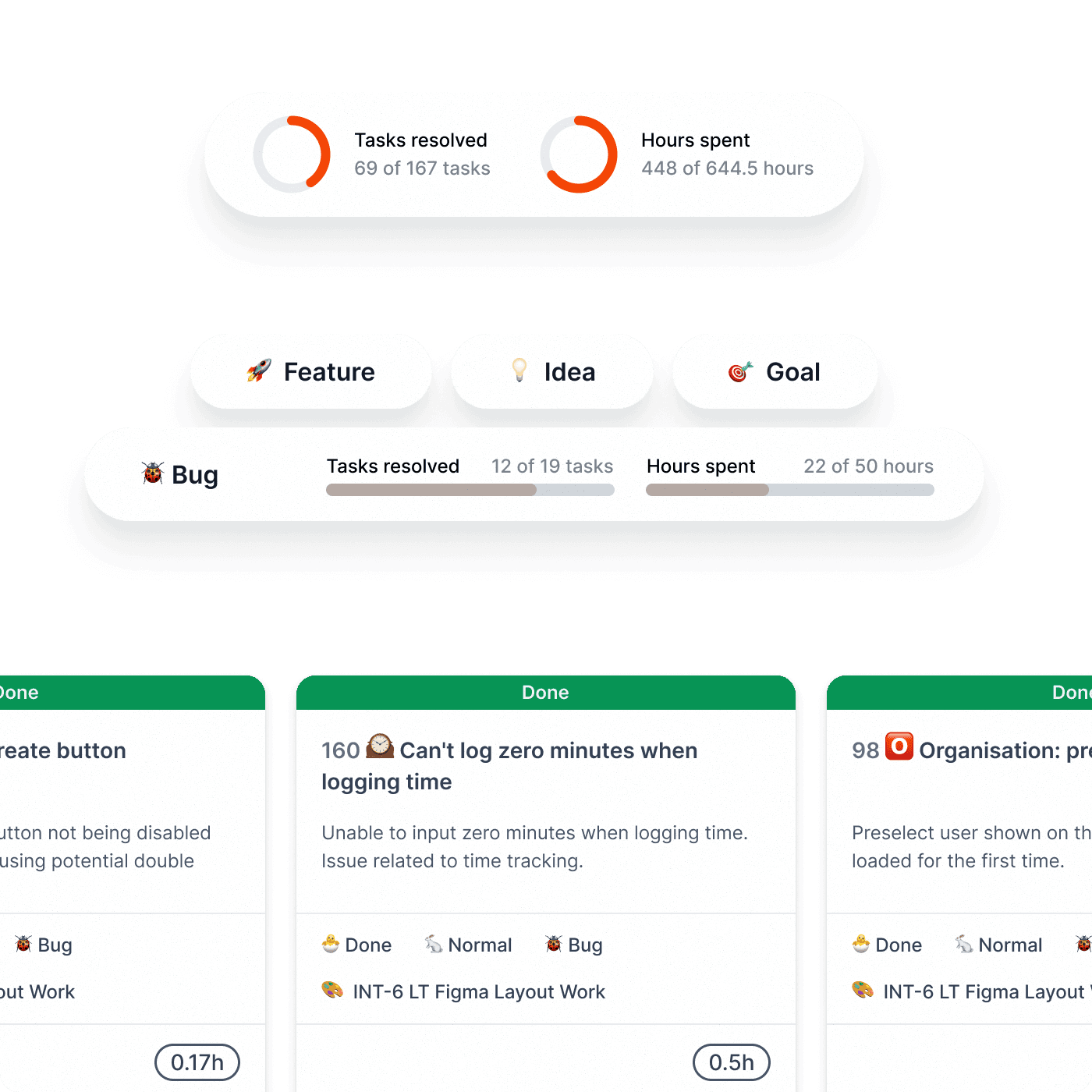
Managing multiple projects with one team is a balancing act. Different priorities, parallel deadlines, and client expectations collide — and without clear visibility, chaos takes over. Leadtime gives you the transparency you need to make smart decisions without diving into every project.

In the Big Picture view, every ticket is shown as a compact card highlighting purpose, progress, and potential issues at a glance. Key details like planned vs. spent time and completion status are surfaced clearly, so even people outside the project can instantly understand where things stand.

This structured overview helps your team and management prioritize across projects, spot problems early, and keep the entire operation aligned.

Try for free
Big picture view

Clear Inputs, Better Tickets

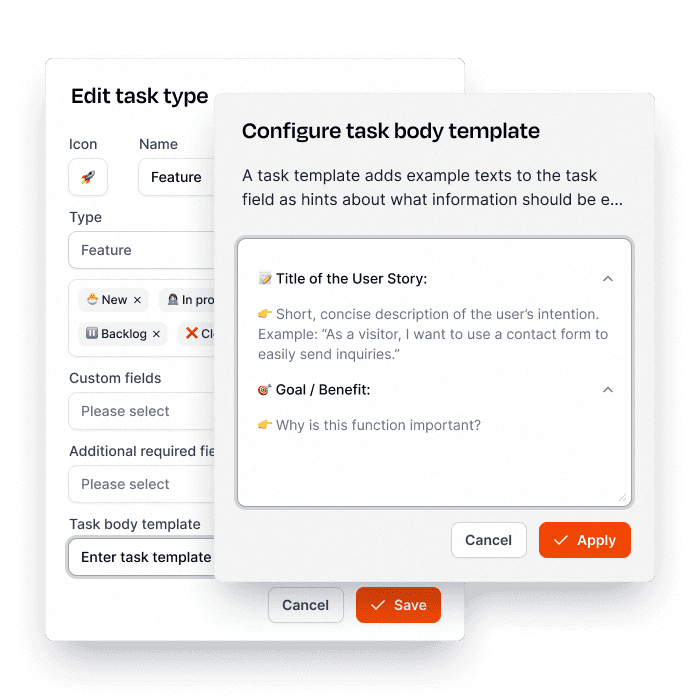
Clear, complete tickets are the foundation of smooth collaboration. With Leadtime’s ticket templates, tasks are created faster, more consistently, and with all the details your team needs to get started right away.

Each template comes with tailored input fields and helpful guidance for different task types. This way, even clients without technical know-how provide exactly the right information — no endless back-and-forth required.

The result: fewer misunderstandings, better data quality, and a more efficient workflow for everyone involved.

Try for free
Ticket templates
Race track

Run twice the projects in half the time

Ready, set, go: your workspace live in minutes, free for 1 month.

Try for free now!

FAQ

Got questions? We’ve got answers.

Because email chaos costs money and frustrates clients. With a ticket system, you never lose requests, forget tasks, or lose track of who's working on what. Your response times drop because nothing slips through the cracks anymore. Clients see progress in real-time and ask fewer follow-up questions. And best of all: your team works focused on prioritized tasks instead of drowning in email confusion.

It saves time and nerves. The AI assistant helps you formulate tickets faster, translates automatically between languages, summarizes long thread histories, and suggests solutions based on similar tickets. Instead of wrestling 10 minutes for the perfect answer, you have a professional draft in 30 seconds. This means: faster response times, more consistent communication, and less mental exhaustion from the ticket flood.

Because gatekeeping creates bottlenecks. When clients can submit structured requests directly through templates, you get complete, clear requirements from day one – no back-and-forth emails to clarify what they actually need. They can track their own tickets, reducing "where are we at?" calls. Your team spends less time translating vague emails into actionable tasks. And critically: urgent issues reach you immediately instead of sitting in an inbox.

Because every unpaid support minute erodes your margins. When time is logged directly to tickets, you immediately see which clients need disproportionate support – and can adjust contracts accordingly. You have bulletproof evidence of work performed for change requests. Support tickets become automatically billable. It's the end of the "just quickly" syndrome that eats your margins. After a few months, you know exactly what support actually costs.

Through systematic tracking and prioritization. Every ticket has a status, an assignee, and a priority. Nothing disappears into an overflowing inbox or gets forgotten because someone's on vacation. Automatic reminders ensure old tickets aren't ignored. Management dashboards immediately show where bottlenecks are. The result: no more embarrassing "sorry, that slipped through" moments that damage your reputation.

Because transparency builds trust. Clients see every request logged, every update documented, and every resolution tracked. No more "I sent you an email three days ago" disputes. They know exactly where their issues stand without calling you. Response times become predictable. Nothing gets forgotten. This professionalism turns demanding clients into satisfied partners – and reduces the emotional labor of managing expectations.

Because everyone sees the full context. When multiple team members work on a ticket, they see the entire history – no more "what's the background on this?" meetings. Internal notes keep sensitive discussions separate from client communication. @mentions bring in the right expert without forwarding emails. Handovers between team members are seamless with documented context. New hires can see how senior team members handled similar issues. This institutional knowledge prevents repeated mistakes and accelerates problem-solving.